BUYING GUIDE
Choosing a mouse: weight, grip and sensor
Last updated: 2026-10-29
Start with what it's for
Gaming and office work want almost opposite things from a mouse. Gaming is about light, fast and precise; office work is about comfort, quiet clicks, long battery life and switching between devices. Our mice page sorts models into gaming, all-round, everyday, ergonomic and trackball, so filtering by use first narrows things down quickly.
Weight: light has a price
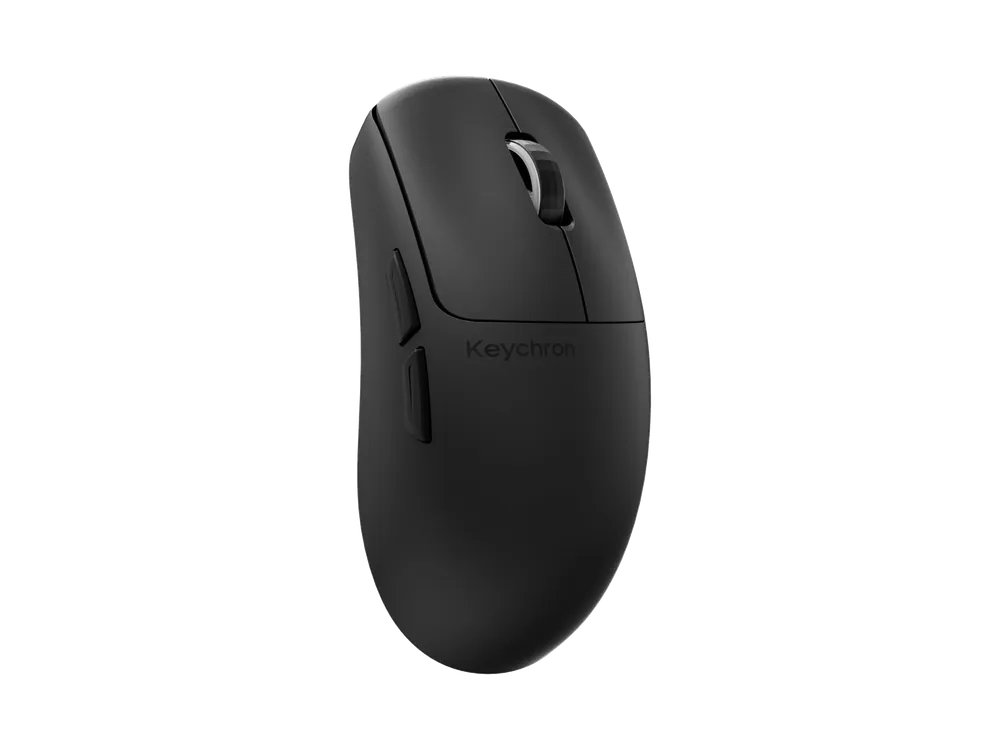
A light mouse flicks fast, stops cleanly and doesn't tire you out over big sweeps, which is why gaming mice keep getting lighter. The Keychron M4 weighs just 35 g, the Keychron G5 43 g and the Lofree Hypace 47 g.
The trade-off is usually battery life and feel. Within Keychron, the M4 (35 g) is rated for up to about 67 hours and the M3 (79 g) for up to about 140. Some people also simply prefer a bit of heft for steadier fine control.
- Under 60 g: shooters and players who flick a lot.
- 60–85 g: a mix of gaming and work; where most people are comfortable.
- Over 85 g: mostly office work, or if you like it steady. For example the Keychron BM27 vertical mouse at 99 g and the Lofree Touch PBT at 105.5 g.
Grip and shape
There are three common grips:
- Palm: your whole hand rests on the mouse; suits larger mice with a full back.
- Claw: the back of your palm touches the mouse and your fingers arch; suits mid-size mice.
- Fingertip: only your fingertips touch it; suits small, light mice.
With small hands or a fingertip grip, look at the Mini version of a model: smaller and lighter. The Keychron M3 is 79 g and the M3 Mini 55 ± 3 g. Going further, the Keychron M4 is 8.6 cm long, which Keychron describes as half the size of a regular mouse.
If your wrist gets sore, try a vertical shape: your hand sits on its side, as in a handshake, for a more natural wrist angle. The Keychron M5 is a 47° vertical design and the BM27 a 55° one. Another approach is a trackball: the Keychron Nape Pro sits below your keyboard's space bar and you roll its 25 mm ball with your thumb, so your hands never leave the typing position.
Sensor and DPI
The sensor decides how accurately the mouse reads the desk. Gaming and all-round mice mostly use PixArt's high-end parts: the Keychron G3, G4 and G5 use the PixArt 3950 at up to 30000 DPI, and the Keychron G6 HE uses the PixArt 3955 at up to 40000 DPI. Office mice often use something like the PAW3212; the Keychron BM25 goes up to 2400 DPI, plenty for everyday use.
DPI is how many pixels the cursor moves when the mouse moves one inch. Higher means more sensitive, but most people never use tens of thousands of DPI; the sensor model and polling rate matter more than the maximum figure. For polling rate, see Is 8K polling worth it?
Connection
For gaming, use a 2.4 GHz receiver or a cable for low latency and high polling. Bluetooth is handy for laptops and tablets but usually tops out around 125 Hz. Most of the Keychron mice we sell support all three, so you can plug in the receiver for games and use Bluetooth on the go.
In one line
- Shooters: a gaming mouse under 60 g with 8K polling.
- Games and work: an all-round mouse at 60–85 g with tri-mode connectivity.
- Office all day: an everyday or ergonomic mouse with long battery life.